Gemini™ AI Assistant

Intelligent Browsing Powered by Gemini™

Bring Google’s most advanced AI directly into your browser. Enhance productivity, accelerate research, and get context-aware assistance across the web.

Get Started

Set up in seconds

01

Add to Browser

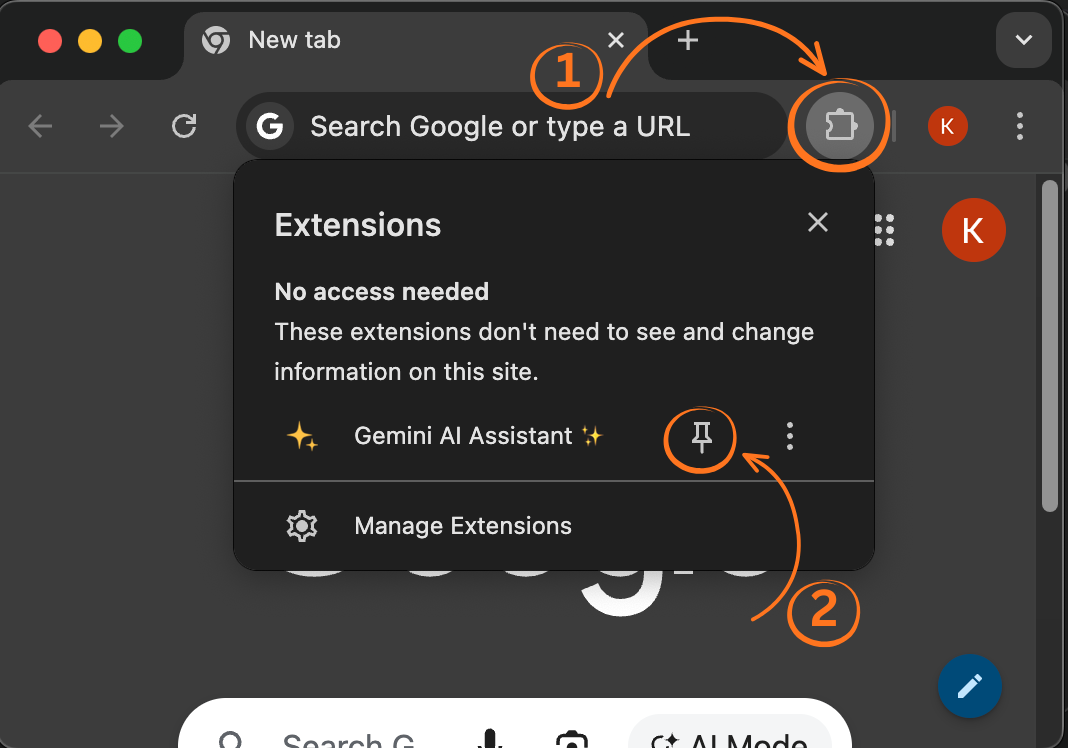
Navigate to the Chrome Web Store and click "Add to Chrome". Then pin the extension to your toolbar for easy access.

02

Activate the Mic 🎙️

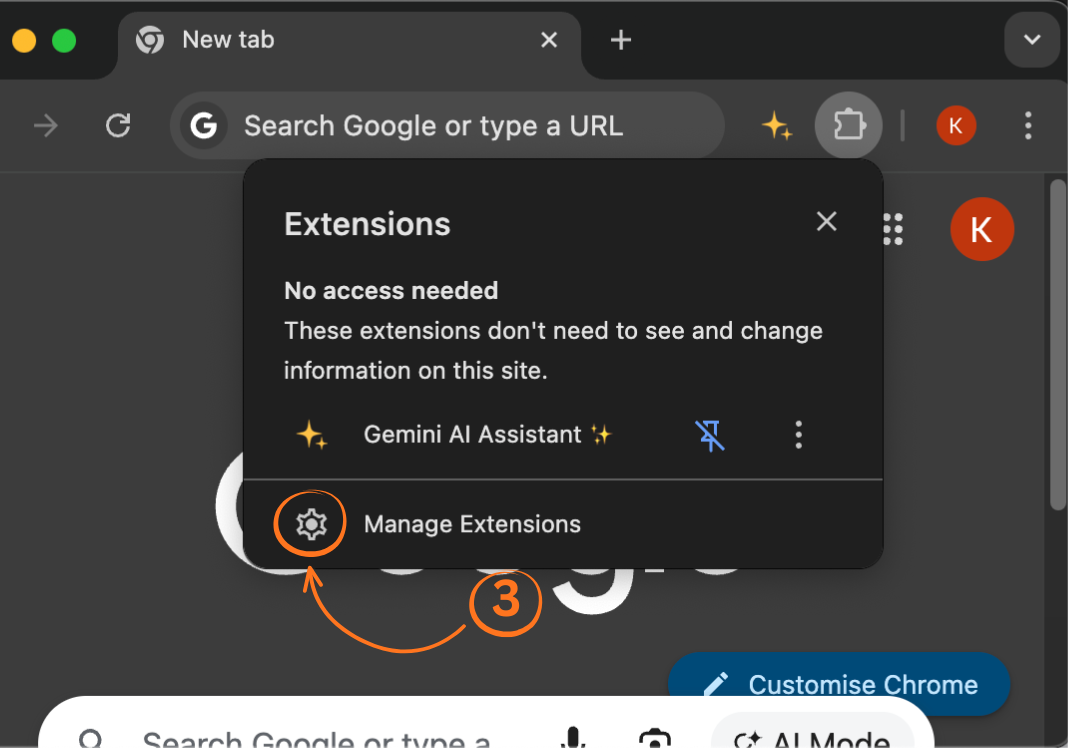
Navigate to Extensions Settings, and click on "Details" under Gemini AI Assistant ✨, and choose 'Site settings' , scroll to Microphone and select 'Allow'. This way you can activate Speech to Text.

03

Sign In

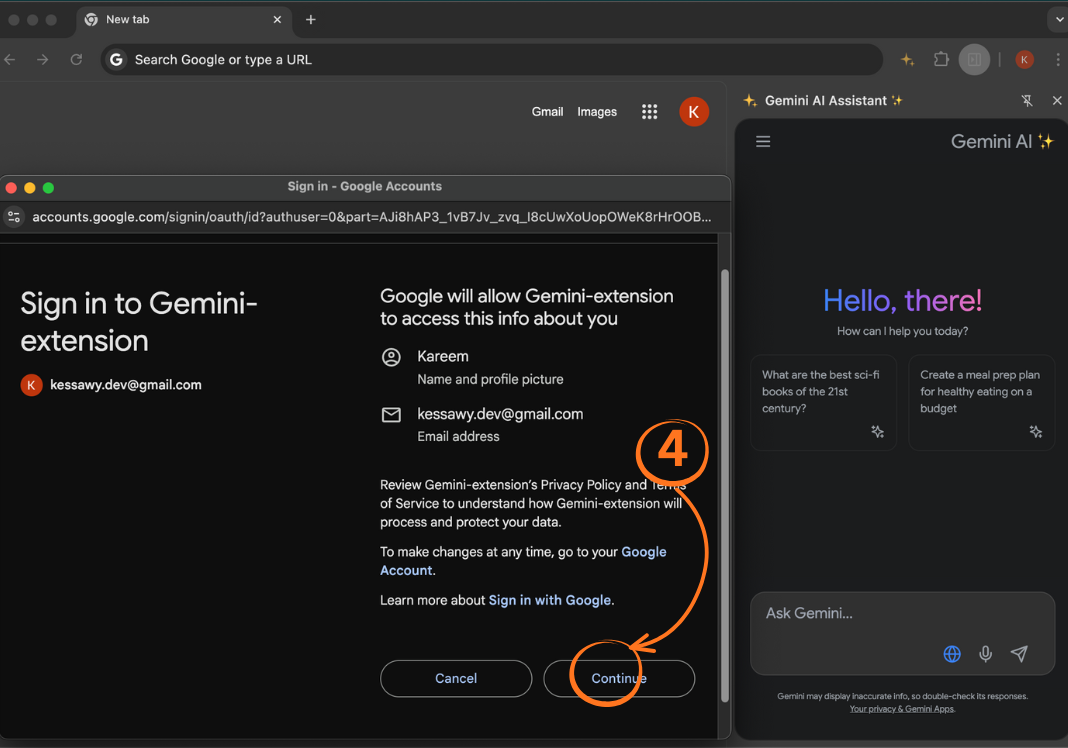
Authenticate to Gemini™ with your Google account through the automatic pop-up page.

04

Enjoy chatting!

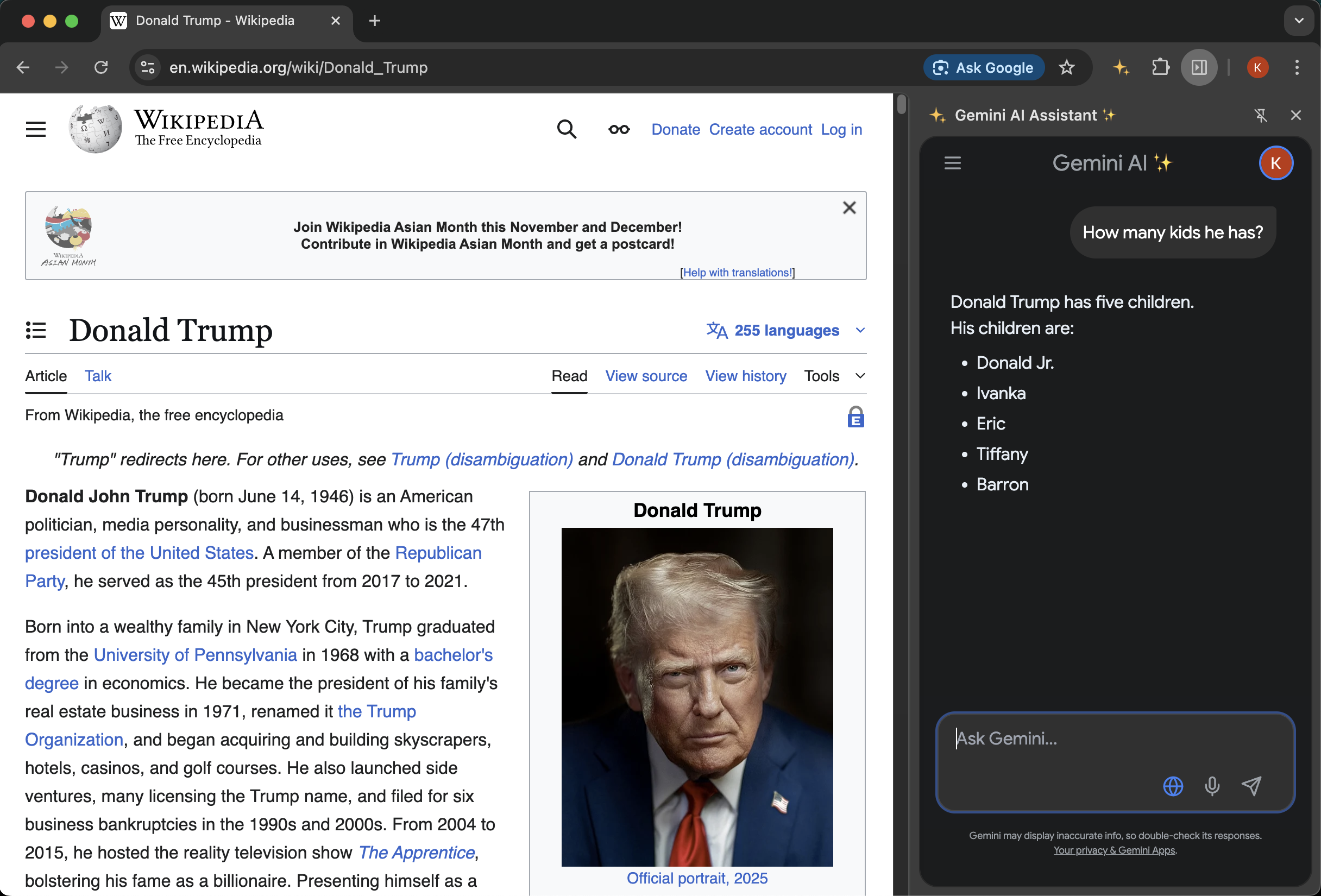
Now you have your own personal Browsing AI Assistang that sees what you see and you can ask it about the pages you are visiting.

Overview

A smarter way to browse

Gemini™ AI Assistant unlocks the capabilities of Google’s advanced AI system directly inside your browser. Enhance productivity, accelerate research, and get intelligent, context-aware assistance anywhere you go online.

Features

Intelligent Assistance with Gemini™

Smart Page Analysis

Generate concise, reliable summaries; ask questions about on-page content; extract key insights and structured summaries fast.

Natural Conversations

Fluid, context-preserving interactions that adapt to technical or casual topics and maintain conversation context across tasks.

Enhanced Productivity

Draft content, generate ideas, receive immediate feedback, and accelerate coding, planning, and writing workflows.

Learning & Discovery

Clear explanations, guided support for new subjects, and organized, verifiable research help.

Multilingual Support

Translate content, communicate across languages, and get culturally informed responses in real time.

Privacy & Security

Designed with strong privacy protections and secure processing at its core.

Who it's for

Ideal for Students, Professionals, Creators

Students

Learning assistance, summarization, and study preparation.

Professionals

Advanced writing, research acceleration, file analysis and < Coding! />

Creators

Idea generation, content refinement, and inspiration.

Everyday Users

Quick answers, translation, and enhanced browsing.

Technology

Powered by Gemini™

Advanced natural language understanding, modern machine learning, and low-latency responses integrate seamlessly with Chrome.

Low-Latency

Fast replies for real-time browsing assistance.

File Understanding

Analyze documents, PDFs, and images (coming soon).

Context Awareness

Conversations that preserve context across pages.